
Office
Company oversight
Projects, workload, and commercial attention in one owner view.
Electrical contractor operations software
From estimate and customer approval to dispatch, field work, invoice, drawings, and customer communication, keep the job connected from office to field.
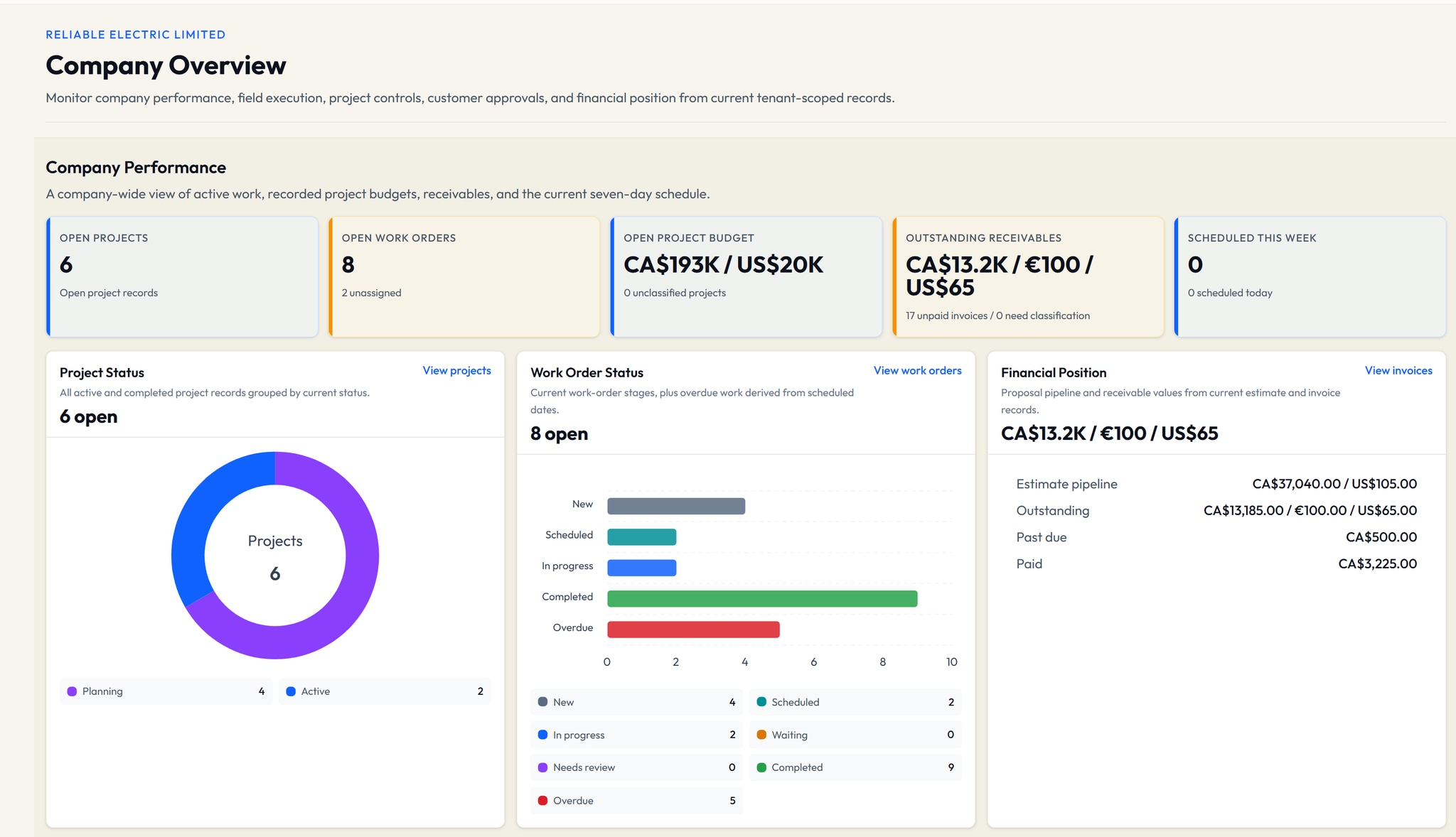
Office
Projects, workload, and commercial attention in one owner view.
Field
Crew, timing, status, and assigned work stay connected.
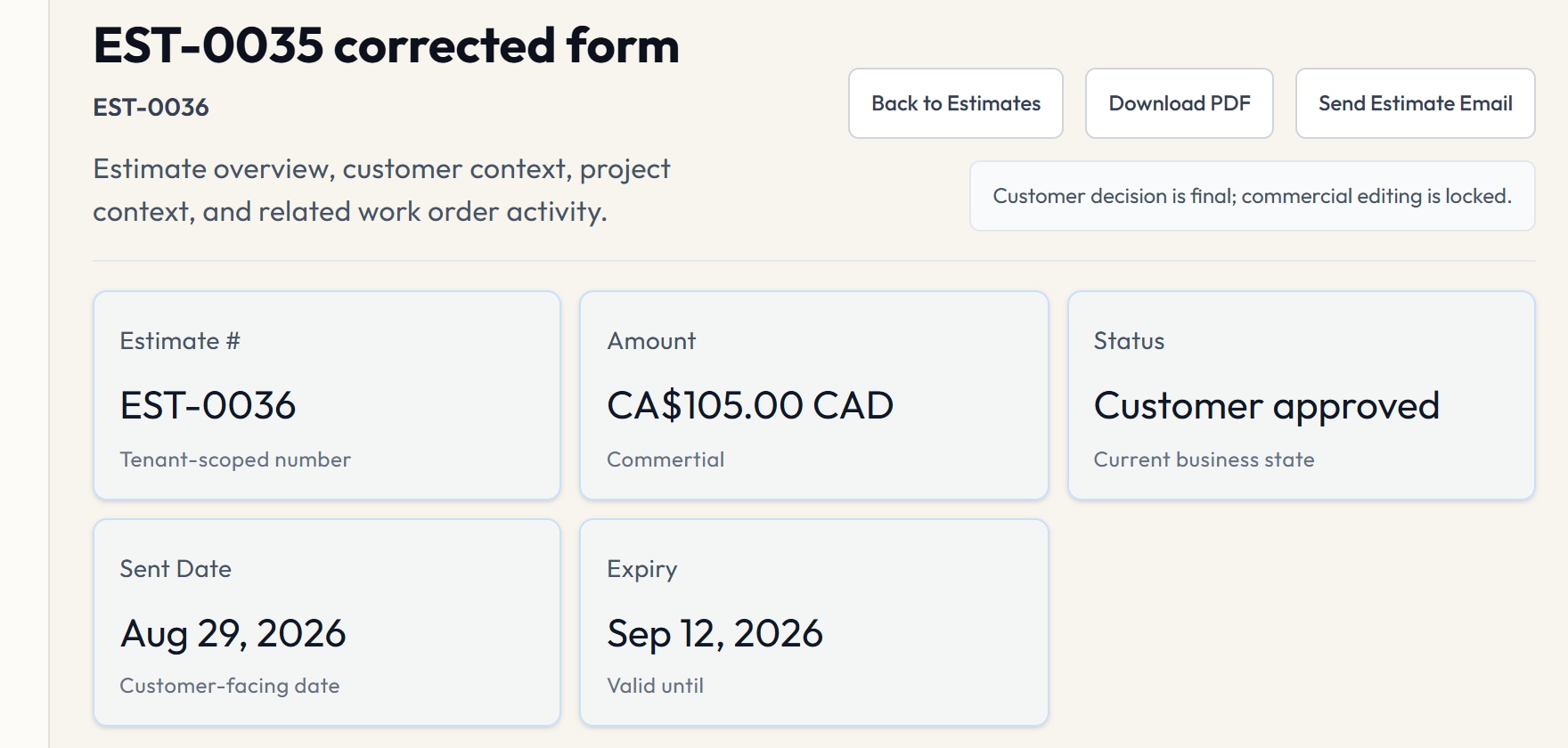
Commercial
Approved scope moves forward with its decision history.
Customer
Published records and conversations stay tied to the job.
Authentic VolteraForge product captures. Sanitized fixture data. Role-aware access, controlled drawing access, and Drawing Chat Beta are represented according to current product truth.
One connected job record
Each workspace stays focused. The work moves forward with its project context intact.
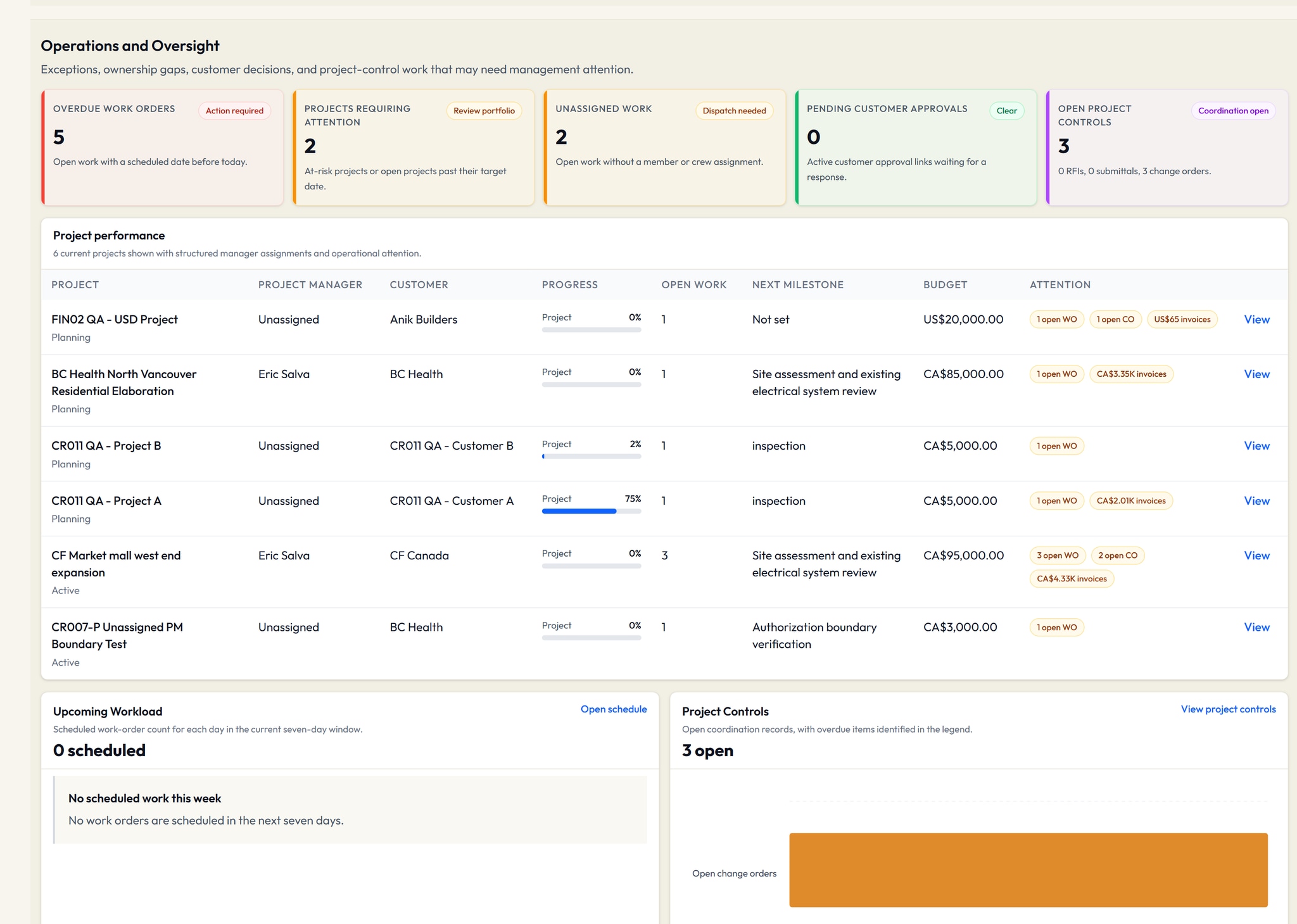
01 / Operations
Bring overdue work, assignment gaps, approvals, and project attention into one owner view.
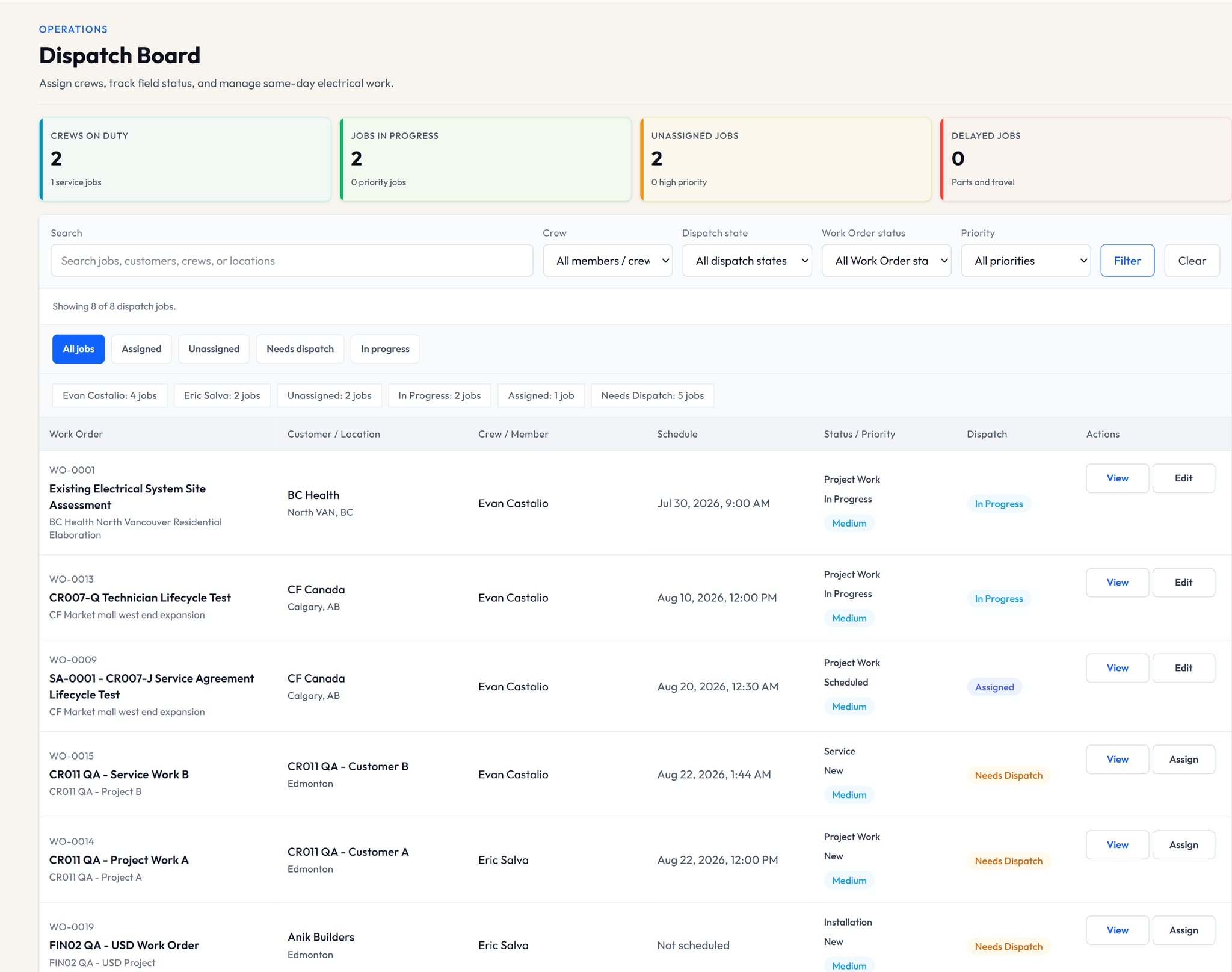
02 / Field Work
Schedule the work, assign the crew, track dispatch status, and give technicians a focused view of what is theirs.
Schedule / Crew assignment / Dispatch / Field work
03 / Commercial
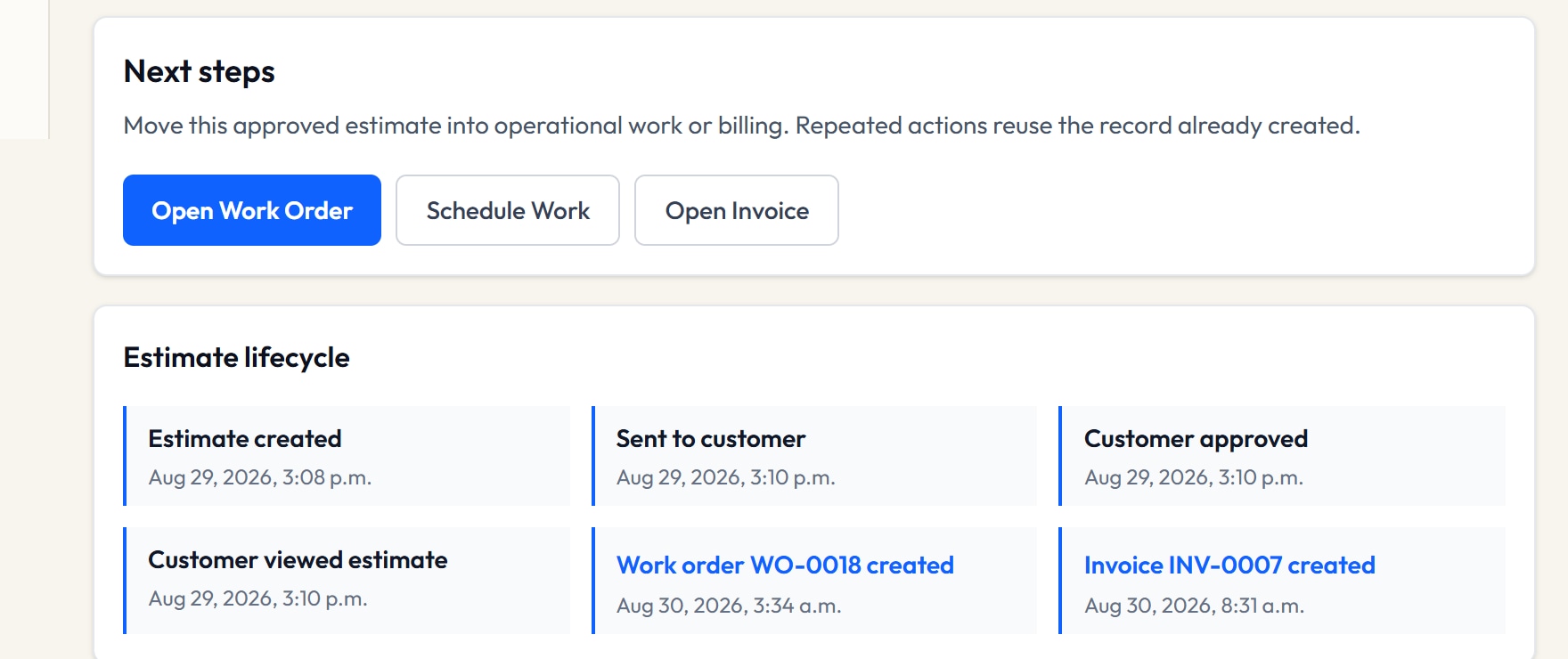
Customer decisions and operational next steps stay tied to the same Estimate, customer, and project relationship.
Priced scope
Recorded decision
Operational handoff
Commercial record
04 / Customer + Drawings
Share supported records through a separate customer account while the contractor team works with protected drawings and revisions.
Only records published by the contractor enter the separate customer experience.
Contractor-started conversations keep customer and project context together.
Published files still pass authorization and lifecycle checks before opening.
Built around electrical operations
Owners see the company. Project managers see assigned work. Technicians see the field. Customers see only what is published to them.
One connected job record
VIEW 01
Company oversight and commercial attention
VIEW 02
Assigned projects and execution context
VIEW 03
Scheduled and assigned field work
VIEW 04
Published customer-safe records and conversations
More built into the job
Supporting project and commercial records stay connected to the same customer and job. Availability follows your plan and role.
Pricing
Compare current limits, included capabilities, and Beta allowances before setup.
Practical FAQ
VolteraForge is designed for small electrical contractors, initially teams of about 1 to 20 employees, coordinating office, project, field, and customer work.
Owner and Admin roles can manage line-item estimates, controlled customer approval links, and the related commercial workflow. Availability is plan-governed and shown on the pricing page.
Contractor teams start conversations tied to a customer or assigned project, and customers reply from separate active accounts. V1 does not support customer-started threads or attachments.
Drawing Chat Beta uses extracted drawing text and page sources when the required provider and document conditions are available. Always verify responses against the original drawings, project requirements, and qualified judgment.
No. VolteraForge records invoices, receivables, statuses, and manual payment evidence; it does not collect, settle, or refund payments.
Start with the job in front of you
Bring office, field, commercial, and customer work into one connected operating record.